Video IP Phone for Office: 2026 Buyer’s Guide
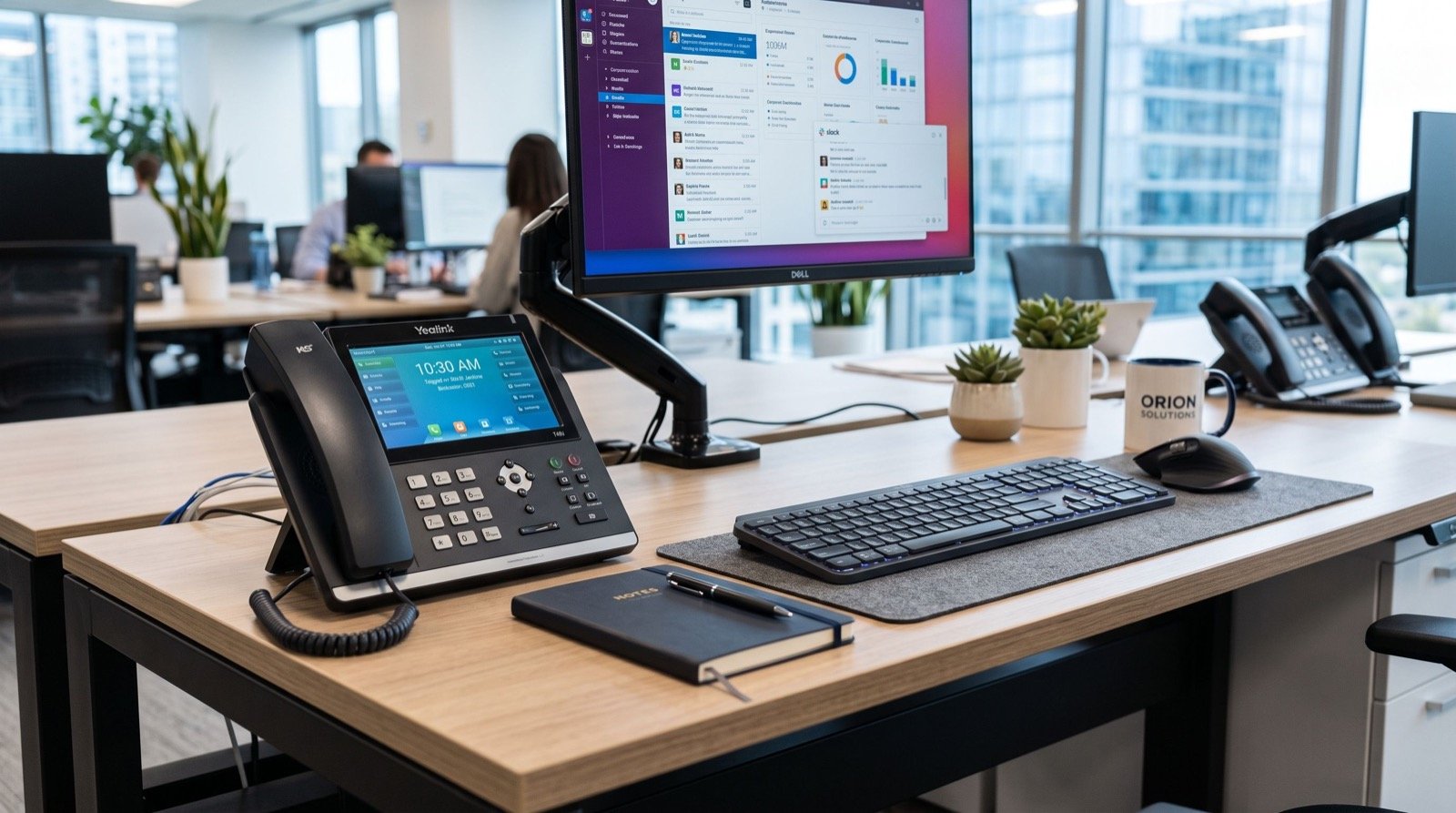
Choosing a video IP phone for office use is no longer a luxury decision. Hybrid teams, remote clients and front-desk security all push businesses toward desk phones that show a face as well as carry a voice. In this guide we compare two very different Fanvil devices, a desk-bound video terminal and a roaming Wi-Fi handset, so you can decide which one fits your floor plan.
We focus on practical questions: where each phone sits, what it needs from your network, and what it will really change in your daily calls.
Why a video IP phone for office teams now?
Video calling used to mean a laptop, a headset and a lot of window juggling. A dedicated video phone removes that friction. You lift the handset or press one key, and the call starts with camera, microphone and speaker already tuned.
In our experience of fitting out mid-sized offices, three groups benefit first:
- Managers who hold several short check-ins with branch offices every day.
- Reception and security desks that need to see who is calling before they answer.
- Sales and support staff who prefer a physical device that never needs a software update to ring.
Because these phones speak standard SIP, they register with most hosted PBX services and on-premises systems. You can read the underlying signalling rules in the IETF’s SIP specification (RFC 3261), which explains why SIP devices from different brands interoperate.
The desk anchor: Fanvil V67 video phone
The Fanvil V67 Flagship Smart Video Phone is the model to look at if video is the main reason you are shopping. It is built around a large touchscreen and an integrated camera, so it works as a self-contained meeting terminal on an executive desk or a meeting-room credenza.
What stands out in daily use
- A big colour display that makes contacts, call history and settings easy to read at arm’s length.
- A built-in camera with a privacy shutter, which matters in open-plan areas.
- An Android-based interface that lets IT teams add useful apps instead of living with a closed menu.
- Gigabit Ethernet and Power over Ethernet support, so a single cable handles data and power.
Who should skip it
If your staff only make voice calls and rarely leave their seat, a smart video terminal is more screen than they need. Spend that budget on headsets instead.
The roaming option: Fanvil W610W Wi-Fi phone
Video is not the answer for every role. Warehouse supervisors, clinic nurses, restaurant managers and facilities teams spend the day on their feet. For them, the Fanvil W610W is a better match because it is a portable handset that joins your wireless network directly.
It gives you the reach of a mobile phone with the call quality and central management of a business extension. Calls stay on your company number, and nobody has to hand out a personal mobile number to customers.
Keep one planning rule in mind. A Wi-Fi handset is only as good as your wireless coverage, so run a signal survey before you roll out ten of them.
Video phone vs Wi-Fi handset: side-by-side
| Factor | Fanvil V67 | Fanvil W610W |
|---|---|---|
| Best for | Desks, executives, meeting rooms | Mobile staff, floors, workshops |
| Video calling | Yes, built-in camera | No, voice focus |
| Connectivity | Wired Ethernet with PoE | Wi-Fi to your access points |
| Main risk | Over-buying for voice-only users | Weak wireless coverage |
| Typical placement | One per desk or room | One per roaming role |
How to pick: a five-step checklist
- List who actually needs video. Most offices find it is 15 to 25 percent of staff.
- Count the roaming roles that currently rely on personal mobiles.
- Check your switches for PoE budget before ordering desk units.
- Survey Wi-Fi signal where handsets will be used, including stairwells and storerooms.
- Confirm your PBX or hosted provider supports the models, and test one of each for a week.
Original tip from our deployments: put the video phones on a separate voice VLAN and give them a fixed quality-of-service tag. Video traffic is far more sensitive to jitter than plain voice, and this one change fixes most “choppy picture” complaints.
What does a video IP phone cost to run?
The purchase price is only part of the picture. Power over Ethernet removes adapters, but you must size the switch. Bandwidth is modest, since a video call on a phone typically uses a fraction of what a full conferencing app consumes. Licences vary by PBX, so ask your provider whether video extensions cost extra in 2026.
Support costs also matter. Working with reliable local experts who can provision, label and test every handset before it reaches the desk usually saves more than a small discount on the hardware itself.
Deployment pitfalls we see most often
Most failed video phone projects fail for boring reasons, not because the hardware is weak. Teams buy the units, plug them in and discover the network was never ready.
- Switch ports negotiate at 100 Mbps because of an old patch cable, and video stutters.
- The PoE budget is exhausted after the first twelve phones.
- Wi-Fi handsets roam poorly because neighbouring access points share the same channel.
- Nobody owns the provisioning server, so settings drift between devices.
Assign one named person to own the phone estate. A short monthly review of firmware versions and call-quality logs takes thirty minutes and prevents most surprises.
Frequently Asked Questions
Is a video IP phone for office use secure?
Yes, when configured properly. Use TLS for signalling, SRTP for media, strong provisioning passwords and a separate voice VLAN. Close the camera shutter when the device is idle.
Can the V67 work with my existing PBX?
Most SIP-based PBX platforms register it as a normal extension. Video features may depend on your server’s codec support, so test before a full rollout.
Do I need a Wi-Fi handset if I already have desk phones?
Only for staff who leave their desks. If someone misses calls because they are walking the floor, a portable handset pays for itself quickly.
How many handsets can one access point support?
It depends on your access point model and call volume. As a planning figure, keep concurrent voice calls well below the vendor’s stated maximum and add coverage rather than pushing the limit.
Final thoughts
A good video IP phone for office deployment starts with who actually needs to be seen. Put the desk-bound video terminal where faces matter, give mobile staff a portable handset, and test both on your real network before committing. Request a quote, borrow a demo unit and let your own team decide.